If you're running a WordPress website and want to improve your SEO performance, the Google Site Kit plugin is an essential tool. Developed by Google, Site Kit is an all-in-one solution that connects your website to several critical Google services, including Search Console, Analytics, PageSpeed Insights, AdSense, and Tag Manager. Setting it up correctly can provide you with powerful insights into your website’s performance and help guide your SEO strategy.
Why Use Google Site Kit?
Google Site Kit provides real-time data directly within your WordPress dashboard. Instead of manually accessing different Google platforms, you get centralized insights to track your traffic, user behavior, search rankings, and page speed performance. This makes it easier to identify SEO opportunities and issues without switching between multiple tools.
Step-by-Step Setup for SEO
1. Install and Activate the Plugin
To get started, go to your WordPress dashboard:
- Navigate to Plugins > Add New
- Search for “Google Site Kit”
- Click Install Now, then Activate
Once activated, you'll see a Site Kit menu item on your dashboard.
2. Connect Google Account and Verify Ownership
The plugin will prompt you to connect your Google account. Make sure to use the account you use for Google Search Console and Analytics.
- Click Start Setup
- Sign in with your Google account
- Allow Site Kit to access the necessary permissions
- Verify ownership of your site (if not already verified in Search Console)
This step connects your site to Google Search Console, which is essential for monitoring your SEO performance.
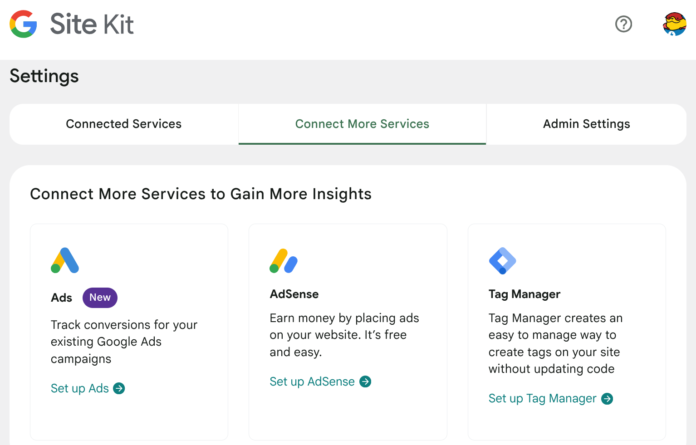
3. Connect Additional Services
After Search Console, Site Kit offers to connect with other services. For SEO purposes, the most important ones are:
- Google Analytics: Get insights into user behavior, session duration, bounce rates, and traffic sources.
- PageSpeed Insights: Check loading speed and core web vitals, which are crucial ranking factors.
- Tag Manager: Useful for managing SEO tags, tracking scripts, or remarketing pixels.
You can choose to set these up immediately or add them later via the Site Kit dashboard.
4. Review the Dashboard
Once setup is complete, the Site Kit dashboard will show:
- Top search queries from Google Search Console
- Page performance and speed metrics
- Most visited pages from Google Analytics
This information is critical for ongoing SEO analysis. For example, if certain keywords are driving traffic, you can create more content around those terms. If speed metrics are poor, you can take action to optimize your site’s performance.
SEO Tips Using Site Kit
- Monitor Search Queries: Identify which keywords are bringing in organic traffic.
- Track Bounce Rate: A high bounce rate on key pages may indicate poor content or slow load times.
- Improve Page Speed: Use PageSpeed Insights recommendations to boost performance.
- Analyze Top Content: Replicate successful content strategies across other pages.
Final Thoughts
The Google Site Kit plugin makes it easy to bring together multiple SEO tools in one place. For WordPress users, it’s one of the most efficient ways to manage and monitor SEO performance without needing technical expertise. With Site Kit, you can make data-driven decisions that help your site rank better and perform faster—crucial components of any successful SEO strategy.





Comments (0)
Login to post a comment.